

A cracked phone screen is more than an eyesore. It disrupts your work, your communication, and your day. When your display shatters, same day phone screen repair becomes less of a luxury and more of a necessity. This guide walks you through exactly what to do: how to prepare before you walk in, what the repair process looks like, what mistakes to avoid, and how to confirm the job was done right. Whether you need emergency phone repair or just want to understand your options, this is the resource you need.
Table of Contents
- Key takeaways
- Same day phone screen repair: what to do first
- How the repair process actually works
- Common mistakes that cost you time and money
- How to verify your repair was done right
- My take on speed versus quality
- Get your screen fixed today with Phocoservice
- FAQ
Key takeaways
| Point | Details |
|---|---|
| Prepare before you go | Back up your data and disable "Find My" on Apple devices before your repair appointment. |
| Book ahead for speed | Scheduling an appointment reduces wait times and confirms parts are in stock for your model. |
| Part quality matters | OEM and high-quality LCD screens outperform cheap aftermarket alternatives for long-term reliability. |
| Verify after repair | Test touch response, brightness, and display accuracy before leaving the shop. |
| Warranty is non-negotiable | Reputable shops offer 3 to 12 months of warranty coverage on parts and labor. |
Same day phone screen repair: what to do first
Walking into a repair shop unprepared is one of the most common reasons people experience delays. A few simple steps before you leave the house can cut your total repair time significantly.
Back up your data. Screen replacement typically does not affect stored data, but backing up before repair is strongly recommended because rare hardware complications can cause data loss. Use iCloud, Google Drive, or a direct computer backup. This takes 10 to 20 minutes and protects everything.
Disable "Find My" on Apple devices. This step is not optional for iPhone users. Failing to turn off "Find My" can prevent authorized technicians from completing the repair, causing immediate delays. Go to Settings, tap your name, select "Find My," and toggle it off before you arrive.
Book your appointment in advance. Many shops accept walk-ins, but appointment booking reduces wait times, especially for newer device models that require specific parts. A quick call or online booking confirms part availability and puts you at the front of the queue.
Here is a quick checklist of what to bring and prepare:
- A full device backup completed before arrival
- "Find My" or Google's device protection disabled
- Your device's passcode (technicians may need it for post-repair testing)
- Proof of purchase if you plan to use a manufacturer or extended warranty
- A valid ID if the shop requires it for warranty claims
Pro Tip: Call ahead and ask specifically whether the shop has your screen model in stock. If they do not, a same day screen replacement may not be possible, and you will want to know that before driving over.
The table below outlines what to prepare based on your device type:
| Device type | Key preparation steps |
|---|---|
| iPhone | Disable "Find My," back up via iCloud, note Apple ID credentials |
| Android (Samsung, Google Pixel) | Disable Google device protection, back up via Google account |
| Other Android brands | Disable screen lock or provide passcode, back up contacts and media |
How the repair process actually works
Understanding the repair workflow helps you set realistic expectations and ask the right questions when you arrive.
Step 1: Check-in and diagnostic. Most reputable shops start with a free diagnostic. The technician inspects the screen damage, checks for secondary issues like touch controller damage or backlight failure, and documents the device's condition before any work begins. This protects both you and the shop.
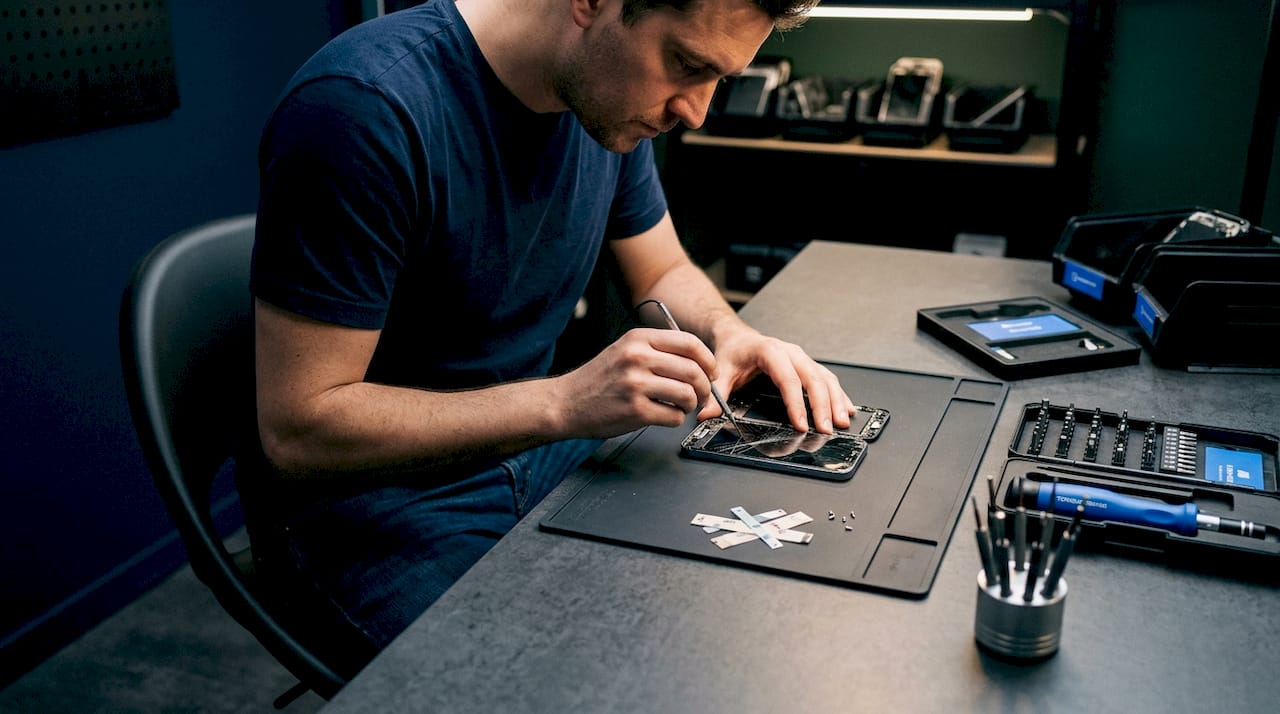
Step 2: Cost estimate and part selection. Experienced shops provide free diagnostics and written cost estimates before work starts, specifying whether the replacement part is original, OEM, or aftermarket. You should always receive this in writing. If a shop skips this step, that is a red flag.
Step 3: The actual repair. For most common smartphone models, screen replacement takes 30 to 90 minutes. Shops that specialize in fast screen repair service keep popular parts stocked and assign dedicated technicians to prioritize same day jobs.
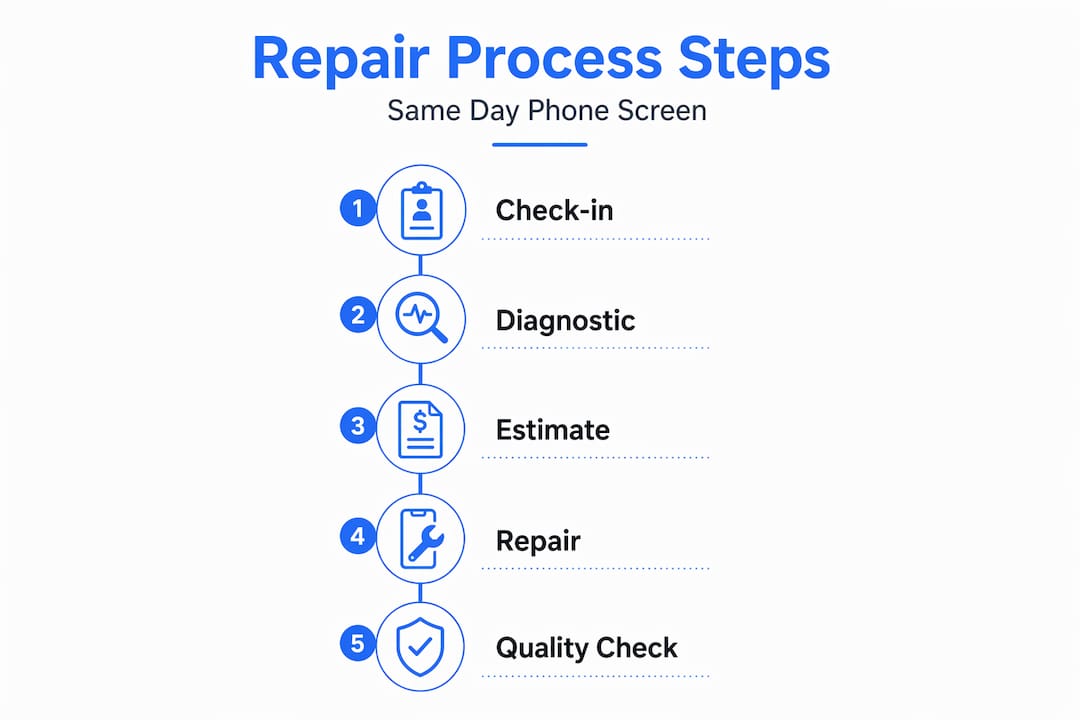
Step 4: Quality check and handoff. Before you receive your device, the technician should test the screen thoroughly. You should also do your own inspection on the spot before leaving.
Here is a comparison of the main screen replacement options you will typically be offered:
| Screen type | Pros | Cons |
|---|---|---|
| OEM (original manufacturer) | Best color accuracy and fit | Highest cost |
| High-quality LCD aftermarket | Reliable, stable, cost-effective | Slightly lower brightness vs. OLED |
| Budget aftermarket OLED | Lower upfront cost | Risk of flickering, touch drift, battery drain |
Cheap aftermarket OLEDs can fail under heat, causing flickering, touch drift, and brightness issues that appear days or weeks after the repair. Experts note that high-quality LCDs often provide more reliable performance for everyday users compared to budget OLED alternatives.
Pro Tip: Ask the technician specifically which brand or grade of replacement screen they are installing. A shop confident in their parts will answer without hesitation. Vague answers are a warning sign.
Common mistakes that cost you time and money
Most repair problems are preventable. These are the mistakes people make most often, and what to do instead.
- Continuing to use a cracked screen. Ignoring cracks risks moisture ingress and secondary internal damage, turning a $150 screen fix into a $400 motherboard repair. The longer you wait, the worse it gets.
- Attempting a DIY repair without experience. Replacement kits sold online look simple. They are not. Improper installation can damage the flex cable, break the fingerprint sensor, or void your warranty. Unless you have done this before, skip it.
- Skipping the data backup. Even though screen repairs rarely cause data loss, "rarely" is not "never." A backup takes 15 minutes. Losing two years of photos takes forever.
- Forgetting to disable security features. Shops that follow proper repair protocols will refuse to work on a locked device. This is not them being difficult. It protects you from unauthorized access.
- Choosing the cheapest option without asking about parts. Cheap aftermarket LCD screens are often thicker and cause the screen to sit proud of the frame, making re-damage far more likely. The $40 you save today can cost you $200 in three months.
"Ultrasonic cleaning and professional drying are far superior to home remedies for treating water ingress after drops. Prompt professional repair significantly improves recovery likelihood." — repair industry guidance
There are also situations where you should not wait at all. If your screen is completely black and unresponsive, if you see liquid spreading under the display, or if the device is getting unusually hot, treat it as an emergency phone repair situation and get to a shop immediately.
Pro Tip: If your phone got wet along with the cracked screen, tell the technician upfront. Water damage changes the repair approach entirely, and hiding it delays proper treatment.
How to verify your repair was done right
Do not leave the shop until you have completed these checks yourself. A reputable technician will expect this and welcome it.
- Touch responsiveness. Swipe across every corner of the screen. Tap small targets like keyboard keys. Dead zones or delayed response indicate a poor installation or a faulty part.
- Brightness and color accuracy. Set brightness to maximum and minimum. Look for uneven backlighting, yellow tints, or washed-out colors that were not there before.
- Face ID or fingerprint sensor. These should work exactly as they did before. If they do not, the technician needs to address it before you leave.
- Physical fit. Run your fingernail around the screen edge. There should be no gaps, raised edges, or flex. Choosing the wrong screen replacement can cause the screen to sit unevenly, exposing edges that make re-damage more likely.
- Camera and speaker function. These components sit near the screen assembly and can be disturbed during repair.
| Check | What to look for | Action if failed |
|---|---|---|
| Touch response | Smooth, accurate input across full screen | Ask technician to reseat screen connection |
| Brightness levels | Even, consistent lighting at all levels | May indicate faulty backlight or wrong part |
| Physical fit | Flush edges, no gaps | Request reinstallation or part replacement |
| Face ID / fingerprint | Works as before | Technician must address before you leave |
Reputable repair shops offer warranties on parts and labor, typically ranging from 3 to 12 months. Get your warranty terms in writing. If a problem appears within the covered period, return to the shop with your receipt and documentation. If the shop refuses to honor the warranty, contact your state's consumer protection office.
My take on speed versus quality
I have seen a lot of rushed repairs over the years, and the pattern is always the same. Someone needs their phone back fast, they choose the cheapest option available, and three weeks later they are back with a flickering screen or a touch sensor that drifts across the display on its own. The repair ends up costing more than the original fix would have.
In my experience, the shops that consistently deliver good outcomes are not necessarily the fastest. They are the ones that stock quality parts, take the time to run a proper diagnostic, and stand behind their work with a real warranty. Speed matters, but it should not come at the cost of a screen that fails in a month.
What I have also learned is that preparation is the single biggest factor in how smoothly a same day repair goes. Customers who walk in with their data backed up, their security features disabled, and a clear understanding of what they want leave faster and with better results. The technician spends zero time troubleshooting access issues and goes straight to work.
If you are in Lawton or the surrounding area and you need a quick phone screen repair, do not just walk into the nearest shop. Ask about part quality, ask about the warranty, and ask how long the repair will take. The right shop will answer all three questions confidently and without hesitation.
— Michael
Get your screen fixed today with Phocoservice
When you need fast screen repair service you can trust, Phocoservice in Lawton, OK delivers. Certified technicians with over 15 years of experience handle same day screen replacement for iPhones, Android devices, and more. Every repair includes a free diagnostic, a transparent cost estimate with clear part quality options, and a one-year warranty on all work performed.
Phocoservice serves customers across Lawton and nearby communities, including phone repair in Duncan and phone repair in Elgin. Whether you walk in or book ahead, the team prioritizes getting your device back in your hands the same day. See the full list of repair services available and schedule your visit today.
FAQ
How long does same day phone screen repair take?
Most standard screen replacements take between 30 and 90 minutes, depending on the device model and screen type. Shops that stock parts for popular models can often complete the repair faster.
Do I need to back up my phone before a screen repair?
Yes. While screen replacement rarely causes data loss, technicians strongly advise full backups before repair because rare hardware complications can put your data at risk.
What is the difference between OEM and aftermarket screens?
OEM screens are made by or to the specifications of the original manufacturer and offer the best fit and color accuracy. Aftermarket screens cost less but vary widely in quality, and budget options can develop issues like touch drift or flickering within weeks of installation.
Can I walk in without an appointment for emergency phone repair?
Most shops accept walk-ins, but booking an appointment in advance reduces wait times and confirms the right parts are available for your specific device model.
How do I know if my screen repair was done correctly?
Test touch response across the entire screen, check brightness at all levels, confirm Face ID or fingerprint sensors work, and inspect the physical fit around the screen edges before leaving the shop.