
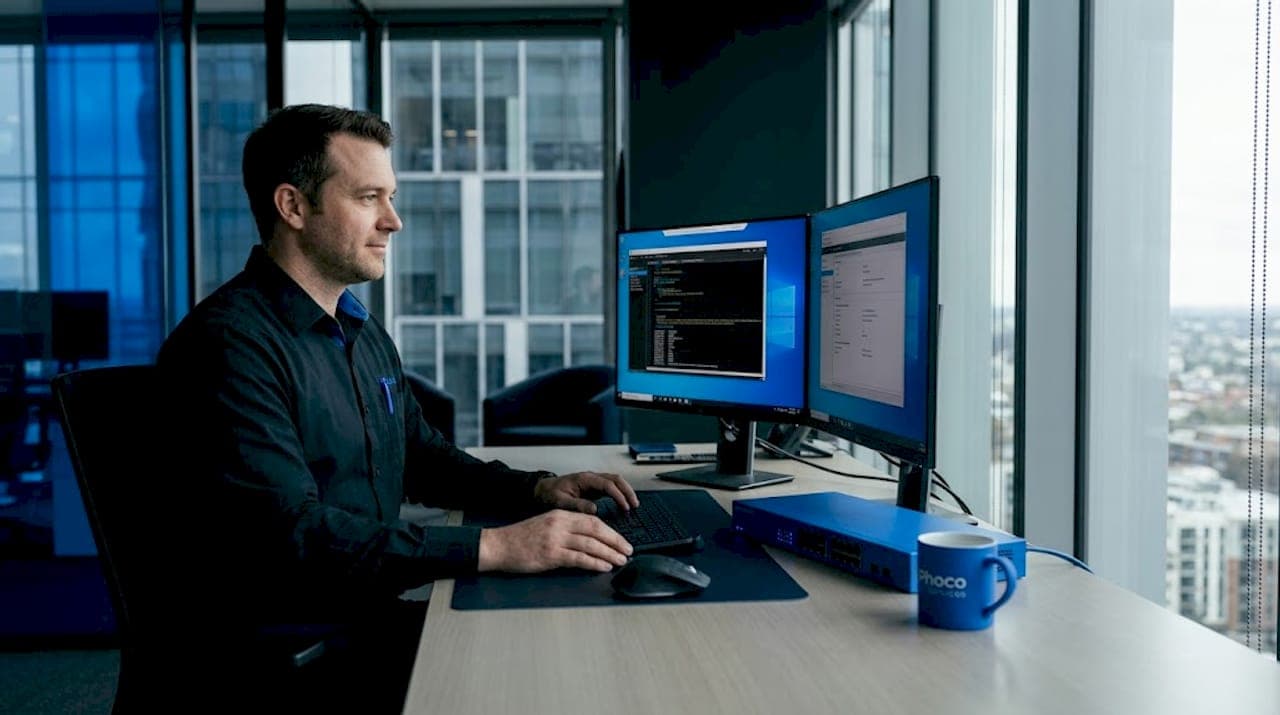
When something goes wrong with your computer or network, waiting hours for a technician to show up is the last thing you want. That's where understanding what does remote IT support mean becomes genuinely useful. Remote IT support is a service model where certified technicians connect to your device over the internet to diagnose and fix problems without ever setting foot in your office. It's faster than most people expect, more secure than many assume, and far more capable than the outdated reputation suggests. This guide covers exactly how it works, what it can and cannot handle, and why more businesses in Lawton, OK are relying on it.
Table of Contents
- Key Takeaways
- What remote IT support actually means
- Remote vs. on-site support: knowing the difference
- Benefits of remote IT support for businesses
- Security and privacy in remote support sessions
- My take on remote IT support after 15 years in the field
- How Phocoservice can help you right now
- FAQ
Key Takeaways
| Point | Details |
|---|---|
| Remote IT support defined | Technicians use encrypted tools to access your device remotely and resolve software issues without an on-site visit. |
| Faster than on-site support | Remote sessions eliminate travel time, so most issues get resolved in minutes rather than hours. |
| Not a replacement for hardware repair | Physical problems like broken cables or disconnected hardware still require a technician on location. |
| Security requires your consent | Legitimate remote sessions always require your permission before a technician can access your screen. |
| Cost savings are significant | Businesses reduce IT costs by eliminating travel fees and scaling support across multiple locations easily. |
What remote IT support actually means
Remote IT support is a service model that uses secure, encrypted remote access tools to resolve software and configuration issues without requiring a technician to be physically present. Think of it as giving a trusted expert temporary, permission-based control of your screen so they can see exactly what you see and fix the problem directly.
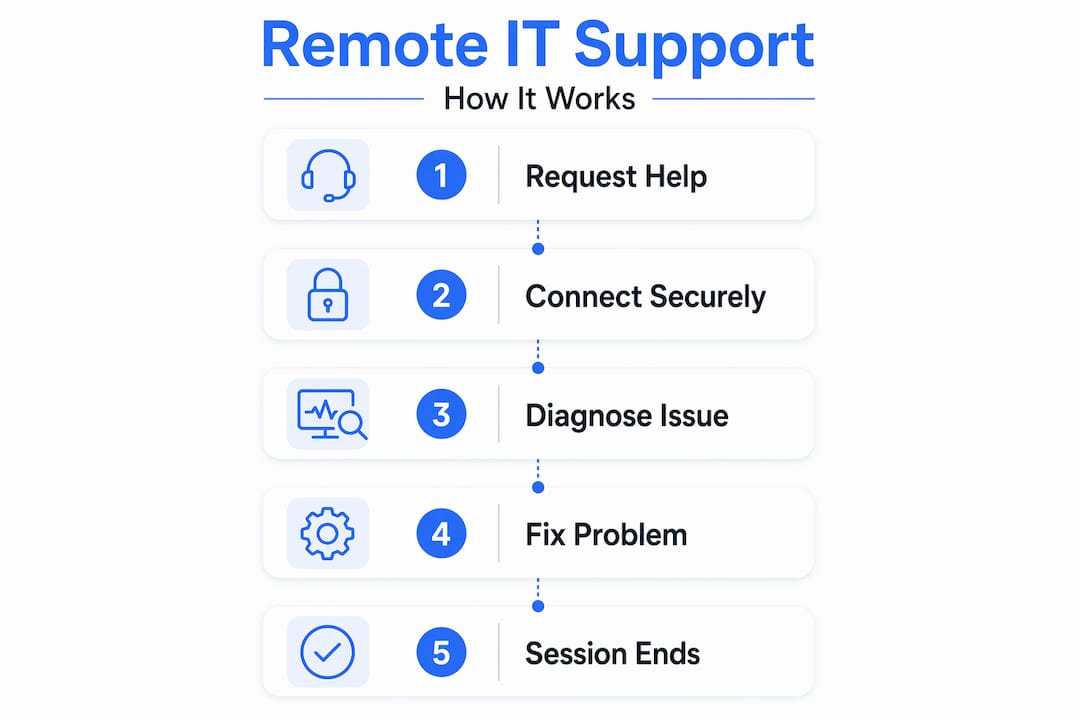
The process follows a clear and predictable workflow:
- You submit a support request by phone, email, or a ticketing portal, describing the issue you are experiencing.
- A technician reviews and triages the request, determining whether the problem can be handled remotely or needs an on-site visit.
- The technician sends a connection link or code, which you click to authorize the session. Nothing happens without your approval.
- The technician connects to your device, views your screen in real time, and begins diagnosing the issue.
- The problem is resolved, often within minutes. The session ends, and access is immediately terminated.
The tools that make this possible include platforms like TeamViewer, Splashtop, and AnyDesk for business environments. Chrome Remote Desktop offers free, browser-based access with core functionality but lacks advanced features like session recording or file transfer, making it better suited for personal or light use rather than professional IT support.
Remote support handles a wide range of issues: software crashes, operating system errors, virus and malware removal, email configuration, printer setup, network connectivity troubleshooting, and application installations. What it cannot address are problems that require physical interaction, such as a failed hard drive, damaged cabling, or a device that won't power on.
Pro Tip: Before your first remote support session, close any browser tabs or applications that contain sensitive personal or financial information. Even though the technician only needs access to fix the specific issue, it's good practice to minimize what's visible on your screen.
Remote vs. on-site support: knowing the difference
A common assumption is that having a technician physically present always produces better results. The data tells a different story. Remote support provides faster responses than on-site because it eliminates technician travel and expands access to geographically distributed experts. A business in Lawton, OK can get help from a specialist who is not local, within minutes of submitting a ticket.
Here is a direct comparison to clarify when each approach makes sense:
| Factor | Remote IT support | On-site IT support |
|---|---|---|
| Response time | Minutes | Hours to days |
| Cost per incident | Lower (no travel fees) | Higher (travel + labor) |
| Best for | Software, configuration, network settings | Hardware failures, cabling, physical setup |
| Geographic flexibility | Unlimited | Limited to technician location |
| User presence required | Sometimes (attended access) | Always |
| Security model | Encrypted session with consent | Physical access control |
There is also an important distinction between attended and unattended access. Attended access requires the end user to grant session permission, meaning a technician can only connect when you are present and approve it. Unattended access allows a technician to connect at any time, which is useful for scheduled maintenance on servers or overnight updates, but it demands strict security policies and strong encryption to prevent misuse.
Situations where on-site support is the only real option include:
- Physical hardware failures such as a dead motherboard or failed power supply
- Issues requiring physical interaction like damaged cabling or disconnected components
- New hardware installations, including workstations, servers, or networking equipment
- Situations where the device cannot connect to the internet at all
For network support in Lawton, OK, a blended approach works best. Most day-to-day troubleshooting happens remotely, while hardware-specific problems get escalated to an on-site visit without delay.
Benefits of remote IT support for businesses
The practical advantages of remote IT support go well beyond convenience. For businesses managing multiple locations or supporting remote employees, the scalability alone makes it worth understanding.

Faster issue resolution. The typical remote IT support session moves from request to resolution in minutes, reducing downtime compared to waiting for a physical technician to arrive. For a business where every hour of downtime translates to lost revenue, that speed matters.
Lower costs. Eliminating travel fees and reducing the need for a full-time on-site IT staff cuts IT spending significantly. Businesses that switch to managed remote support models often find predictable monthly pricing more manageable than unpredictable break-fix bills. You can review managed IT service plans to get a sense of what structured pricing looks like.
Scalability across locations. A single remote IT support provider can cover your main office in Lawton, a satellite location in Duncan, and employees working from home, all under one service agreement. There is no need to hire local technicians for each site.
Access to specialized expertise. Remote support removes geographic limitations. If your issue requires a cybersecurity specialist or a specific software expert, that person does not need to be in your city to help you.
The technology behind remote support is also advancing quickly. AI-powered tools in remote support are increasingly used to reduce technician workload and speed issue resolution, with examples including in-session recommendations and automated session summaries. The remote support software market is projected to reach $7.4 billion by 2030, driven by hybrid work adoption and growing reliance on cloud-based software.
Pro Tip: If your business has more than five employees, ask your IT provider about unattended access for your servers and critical workstations. This allows scheduled maintenance to happen overnight without disrupting your team's workday.
Security and privacy in remote support sessions
Security is the most common concern people have about remote IT support, and it's a fair one. Giving someone access to your computer feels risky if you do not understand how the process works. The good news is that legitimate remote support is built around user consent and encrypted connections.
Here is what responsible remote IT support looks like in practice:
- Every session requires your explicit permission. A technician cannot connect to your device without you clicking an approval prompt or entering a session code. If someone claims to be IT support and asks you to install software without a prior support request from you, that is a red flag.
- Connections use end-to-end encryption. Professional tools encrypt all data transmitted during a session, so no one can intercept what the technician sees or does on your screen.
- Sessions are time-limited and auditable. Once the issue is resolved, the connection closes. Many enterprise-grade tools log session activity for compliance and review.
- Unattended access requires strict policy controls. Unattended access management requires strict policies and encryption protocols to avoid unauthorized sessions. If your IT provider uses unattended access, ask for documentation of their security policies.
To protect yourself, always verify the technician's identity before approving a session. Use your IT provider's official contact number or portal, never a phone number from an unsolicited call. Close sensitive applications before the session begins, and ask for a session summary after the work is complete.
My take on remote IT support after 15 years in the field
I've worked on both sides of this equation, and the biggest misconception I run into is the belief that remote support is a lesser option. Clients often tell me they want someone "actually there" to fix the problem. I understand the instinct. But in my experience, the majority of business IT problems are software-based, and remote support speeds up response by removing travel delays while giving you access to a wider pool of expertise.
What I've learned is that the quality of remote support comes down to the provider, not the delivery method. A skilled technician working remotely will outperform an inexperienced one sitting right next to you. The tool is not the problem. The person using it is what matters.
I've also seen businesses in Lawton and surrounding areas delay getting help because they were waiting for an on-site appointment, when the issue could have been resolved remotely in under 20 minutes. That delay costs real money. My advice: find a provider you trust, understand what they can and cannot handle remotely, and stop treating on-site visits as the default. Reserve them for hardware problems where they are genuinely necessary.
The future of remote support is also getting smarter. AI-driven tools in managed service providers are transforming how issues are detected and resolved, automating repetitive workflows so technicians can focus on the problems that actually need human judgment. That trend is only accelerating.
— Michael
How Phocoservice can help you right now
When you need reliable IT support that actually shows up, whether remotely or in person, Phocoservice delivers. Based in Lawton, OK, with service coverage across Altus, Duncan, Elgin, Cache, and Wichita Falls, the team at Phocoservice brings over 15 years of certified experience to every job. Remote sessions are available for software issues, network troubleshooting, and cybersecurity concerns, with same-day response for urgent problems.
For hardware repairs, virus removal, data recovery, or network optimization, explore the full range of repair and IT support services available at Phocoservice. Every repair comes with a one-year warranty and transparent pricing, so you know exactly what you are getting before work begins. Reach out today to get your devices and network running at full capacity.
FAQ
What does remote IT support mean?
Remote IT support means a technician connects to your device over the internet using secure software to diagnose and fix problems without visiting your location. It is primarily used for software issues, configuration errors, and network troubleshooting.
How does a remote IT support session work?
You submit a request, the technician sends a connection code or link, and you approve the session before anything happens. The technician then accesses your screen in real time to resolve the issue, typically within minutes.
Is remote IT support safe?
Yes, when provided by a legitimate service. Professional remote support uses encrypted connections and requires your explicit consent before a technician can connect. Never approve a remote session from an unsolicited caller.
What issues can remote IT support not fix?
Remote IT support cannot address hardware failures, physical cabling problems, or devices that will not power on. Those situations require an on-site technician with hands-on access to the equipment.
How is remote IT support different from on-site support?
Remote support is faster and less expensive for software-related problems, while on-site support is necessary for physical hardware issues. Most businesses benefit from using both, depending on the nature of the problem.